Probot builds robotic companions. They asked us to figure out whether one of them belonged in a classroom, and if so, as what.
Role
Service & UI Designer
Duration
Aug to Oct 2023
Methods
Interviews, workshops, VPC
Deliverables
Blueprint, app concept
Overview
A robot dog is not a plan. It is a question waiting for one.
Probot came to us with a working quadruped robot and a hunch that it could help in schools. Our job was to find out where that hunch was right, and where it would have failed quietly if nobody asked first.
That meant resisting the urge to design an interface before we understood who would actually be using it, what their day already looked like, and what they were afraid the robot might do to it.
Research
Two user groups, and very different stakes for each.
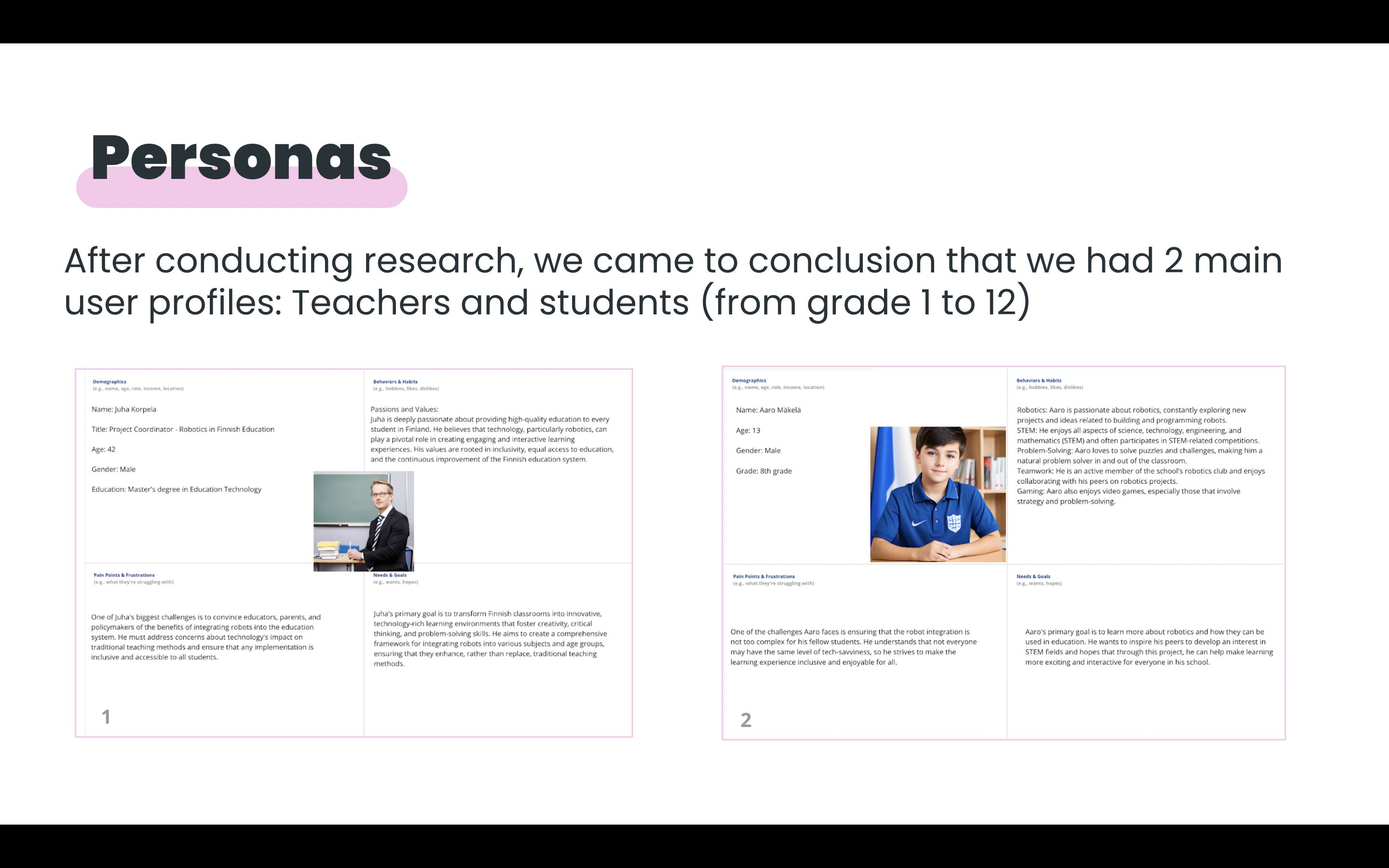
Qualitative and quantitative interviews early on pointed to two clear profiles: teachers, and students from grade 1 to 12. Each group needed the robot to succeed on completely different terms.
The two personas that shaped every decision after this point: a coordinator weighing institutional risk, and a student who just wants robotics to feel less like homework.
Those interviews became journey maps, which is where the project's real friction points surfaced. It wasn't the robot's capabilities that worried people. It was what would happen in the ten minutes before and after it walked into the room.
Three assumptions we had to test
Before any workshop, we wrote down what we were afraid the answer might be. Naming the theories first made it much harder to quietly confirm them later.
01
The robot dog could be frightening to young children, especially in a small classroom.
02
The robot dog might not be safe to have moving freely around children.
03
Teachers would reject the concept outright as one more system to manage.
How Might We
Improve the educational system by integrating a robot dog, without adding to what teachers already carry?
The Workshop
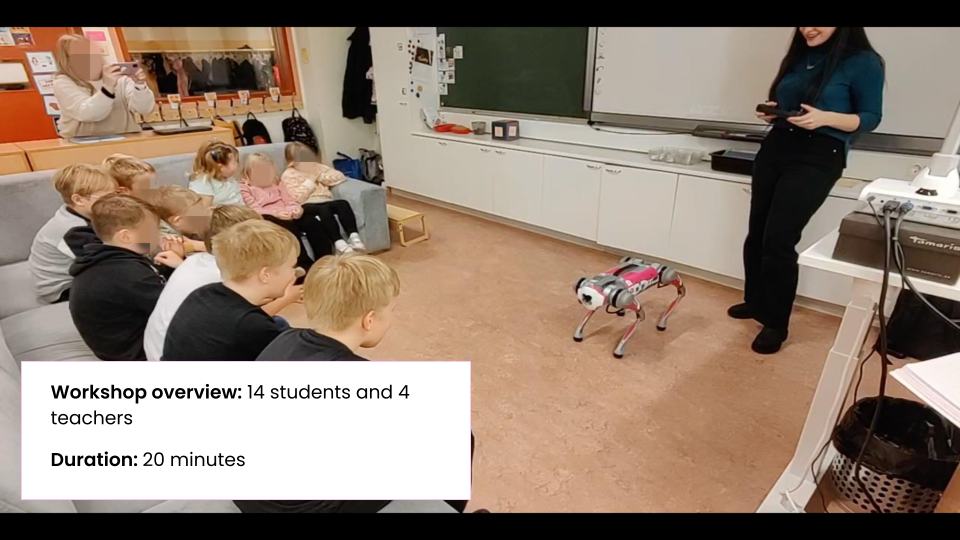
Fourteen students, four teachers, twenty minutes that told us we had the wrong fears.
We ran a live session to test our theories directly rather than guess from behind a desk.
14
students present
4
teachers observing
20
minutes, start to finish
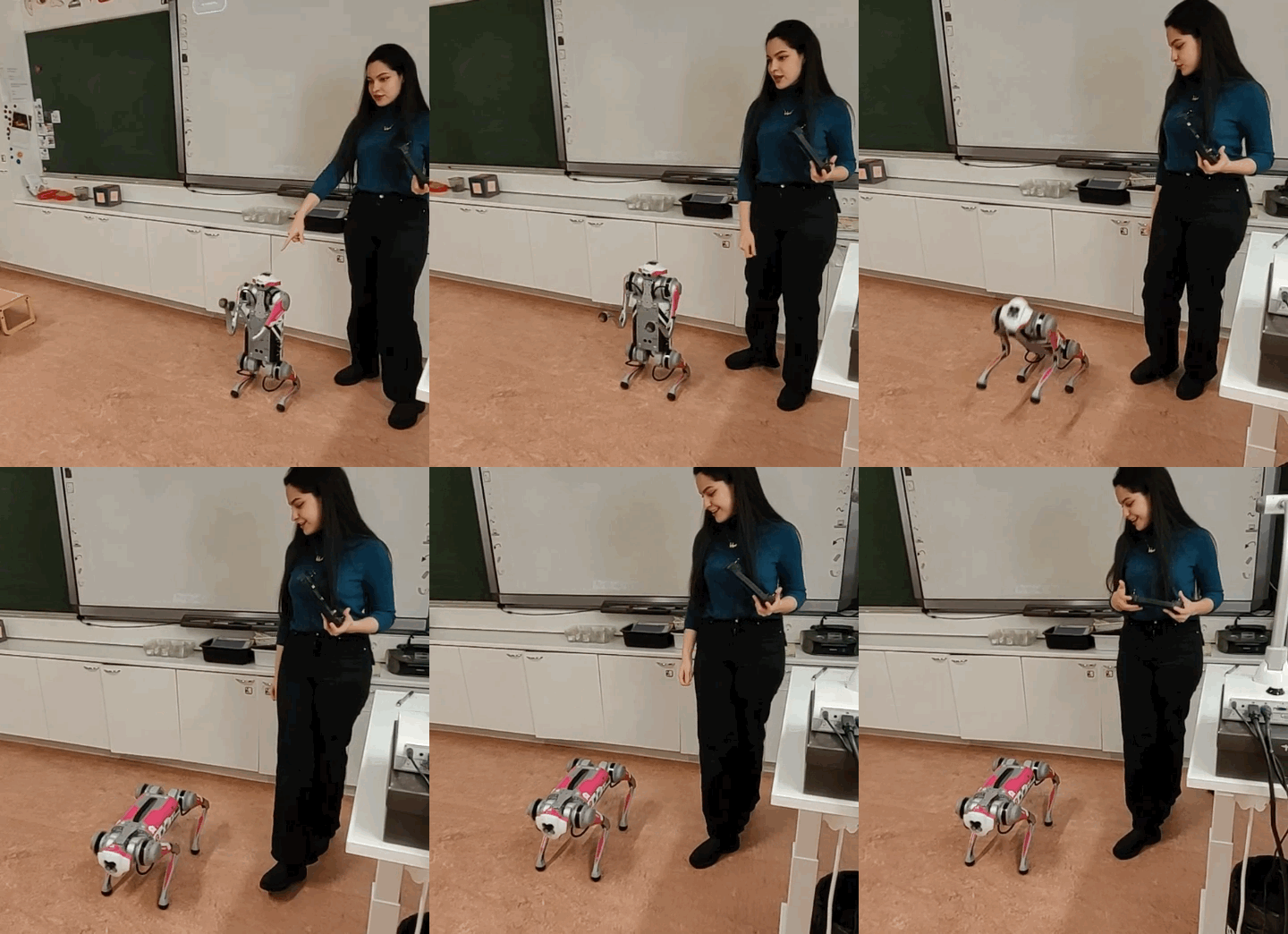
Leading the session. The robot's first move in the room mattered more than anything in the deck behind it.
What we actually heard
01
The kids were not afraid of the robot dog. Theory one, disproven within the first five minutes.
02
Teachers were comfortable with the technology and believed it could be incorporated into the classroom, not the resistance we had braced for.
The bigger discovery was that the robot's risk was never the real obstacle. The real obstacle was everything already on a teacher's plate before the robot even arrived.
Substantial existing workload
Difficulty keeping students engaged through a full lesson
Meeting very different student needs in one room
Constant pressure to make lessons more engaging with limited time
Solution Framing
If the robot was going to earn its place, it had to relieve work, not add it.
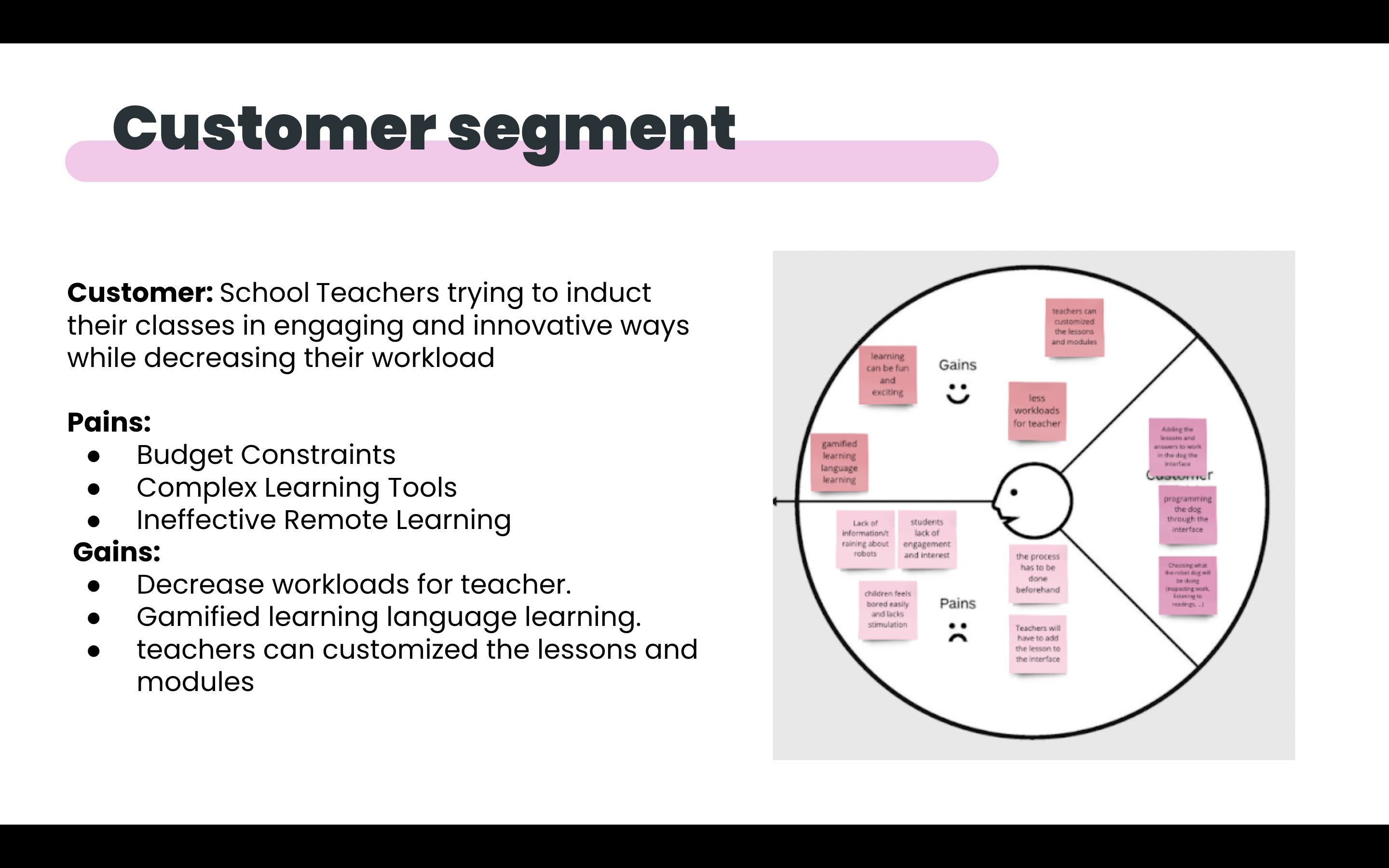
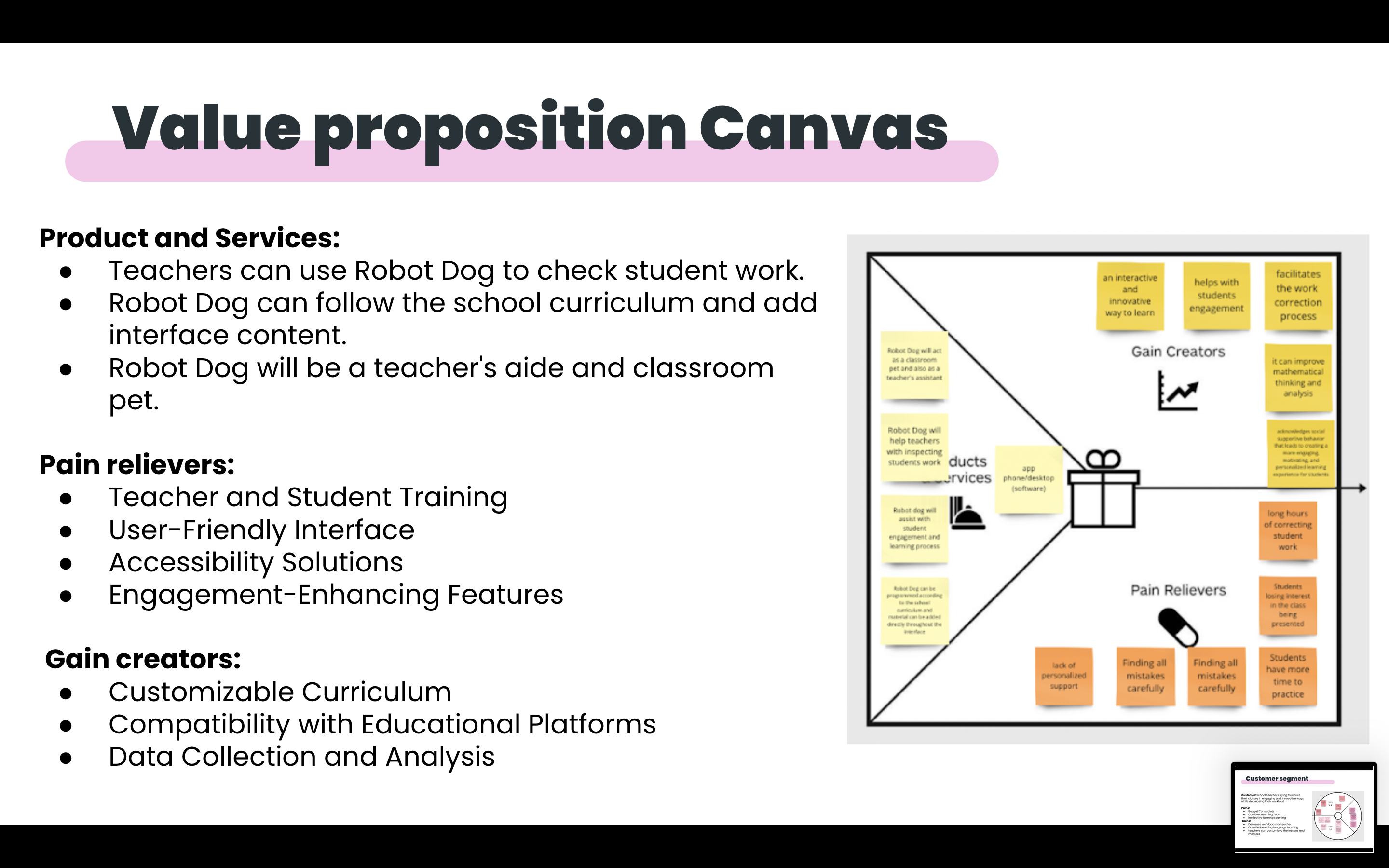
We mapped the customer segment against a value proposition canvas to keep the concept honest about whose problem it was actually solving.
Customer: school teachers trying to make their classes more engaging and innovative while decreasing their own workload, not teachers looking for a new gadget to manage.
The pains were concrete: budget constraints, learning tools that were too complex to onboard quickly, and remote learning that wasn't landing. The gains we were designing toward were just as concrete: lighter workloads, gamified language learning, and lessons teachers could actually customise rather than inherit as-is.
The Prototype
From robot to interface, without losing the teacher in the middle.
The product itself became two things at once: a physical robot dog in the room, and an app that gave teachers control over what it actually did there.
SplashThe app opens on the Probot mark.
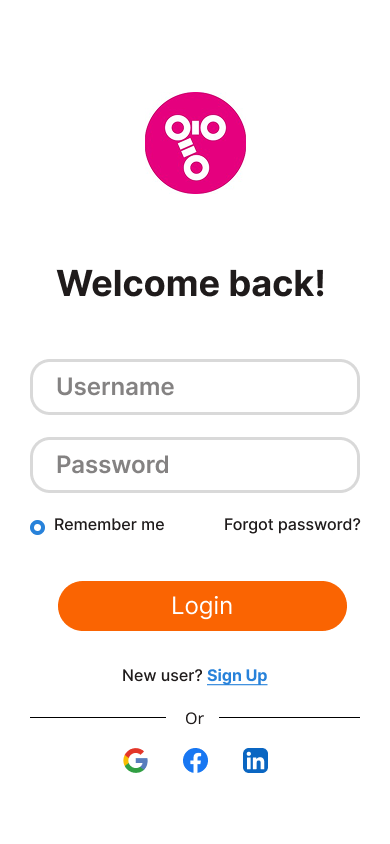
Sign inFamiliar login, nothing new to learn.
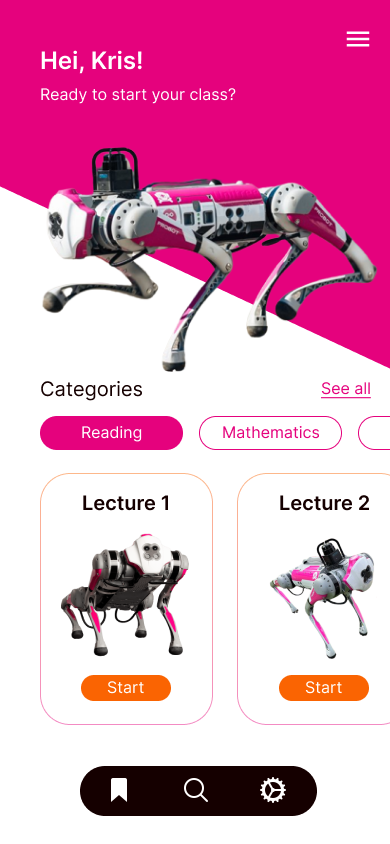
Home“Hei, Kris!”, pick up a class in one tap.
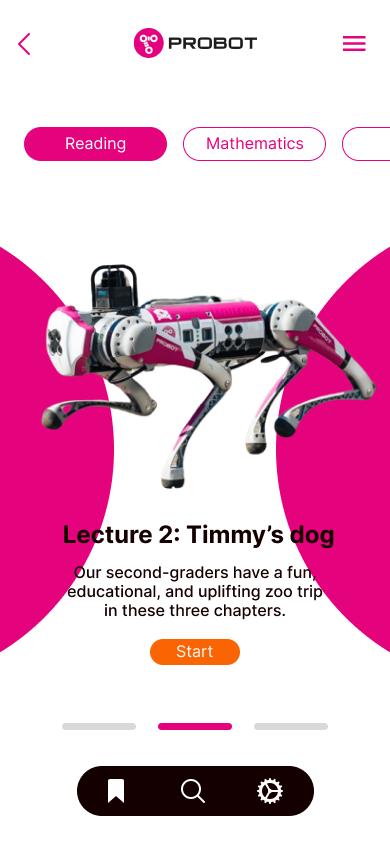
Browse lecturesLessons as cards, sorted by subject.
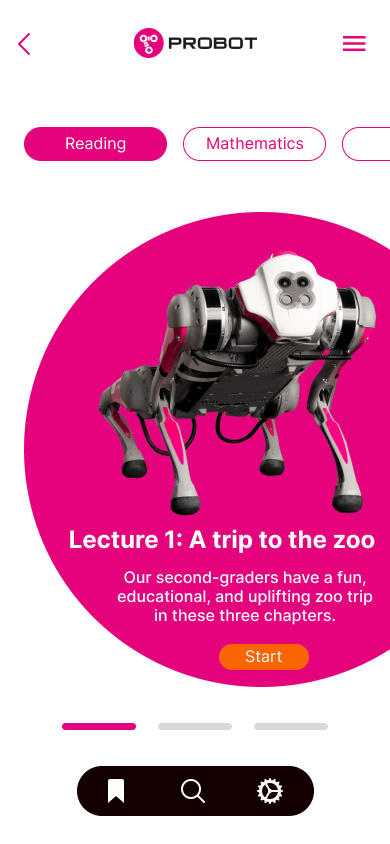
Swipe lessonsA carousel through the day’s lectures.
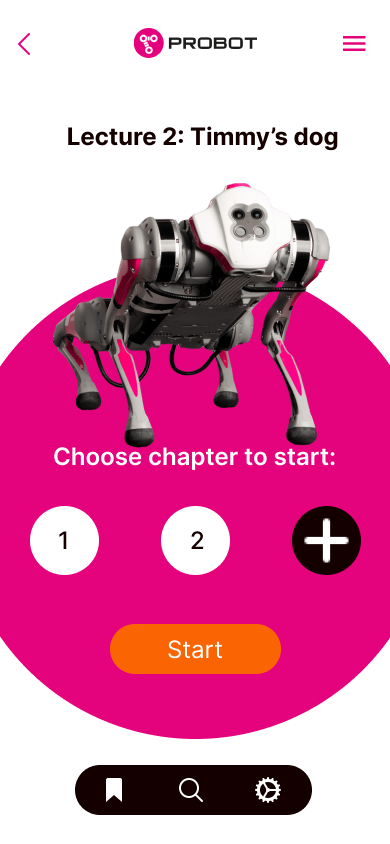
Choose a chapterSet how far the robot takes the class.
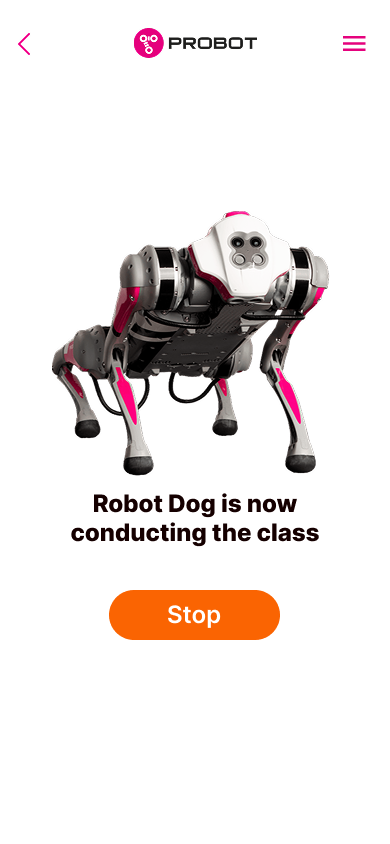
Robot conductingOne clear Stop while the dog leads.
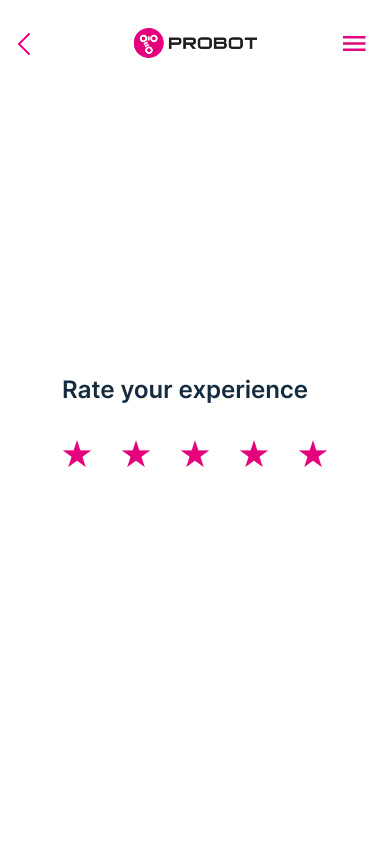
Rate the sessionQuick feedback closes the loop.
The companion desktop view
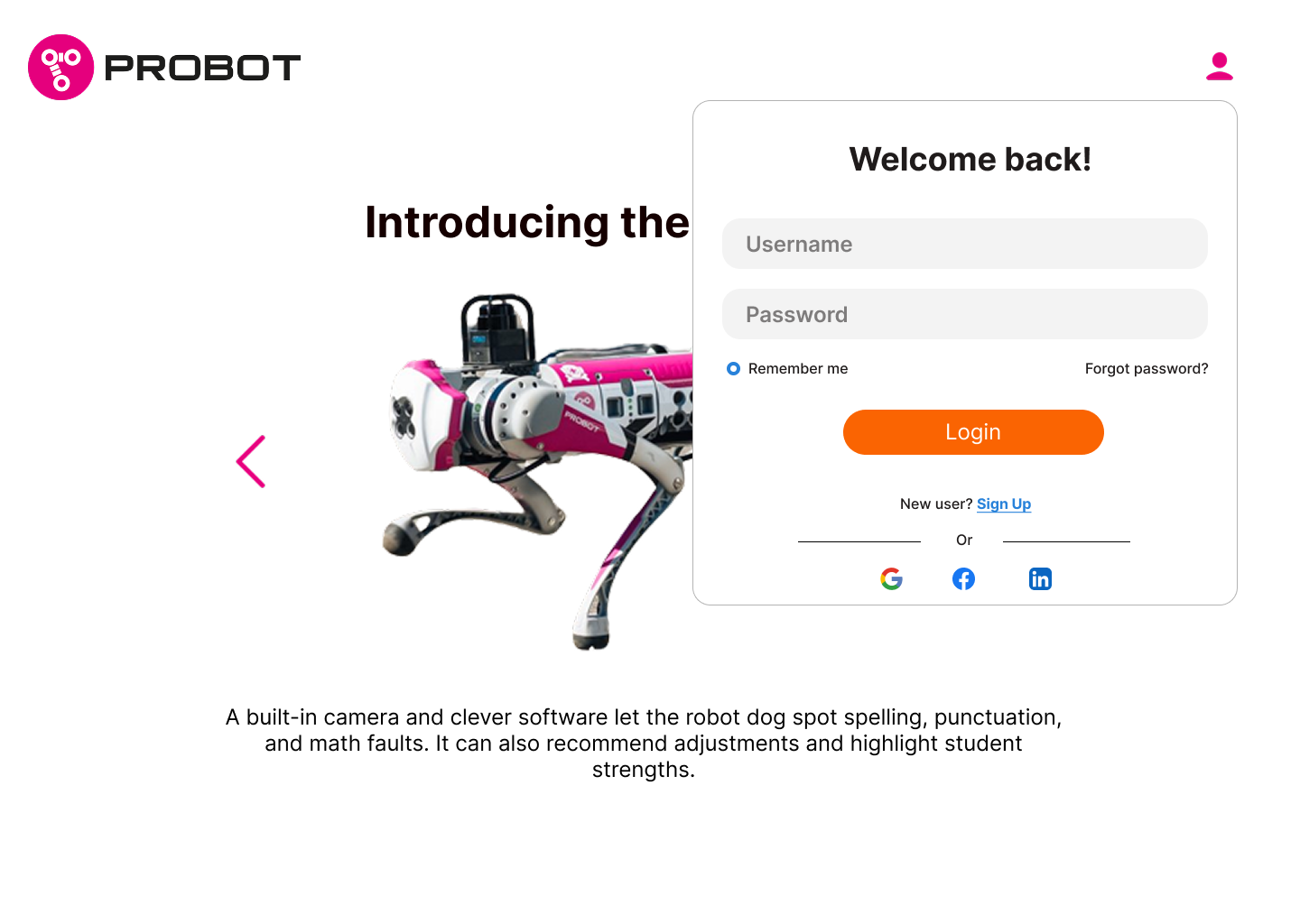
Beyond the in-class app, the same system scaled up to a browser, where teachers signed in and browsed the full lecture library before a session.
probot.app/login
Sign-in pairs the marketing intro, "Introducing the Probot", with a familiar login card, so first contact and access live on one screen.
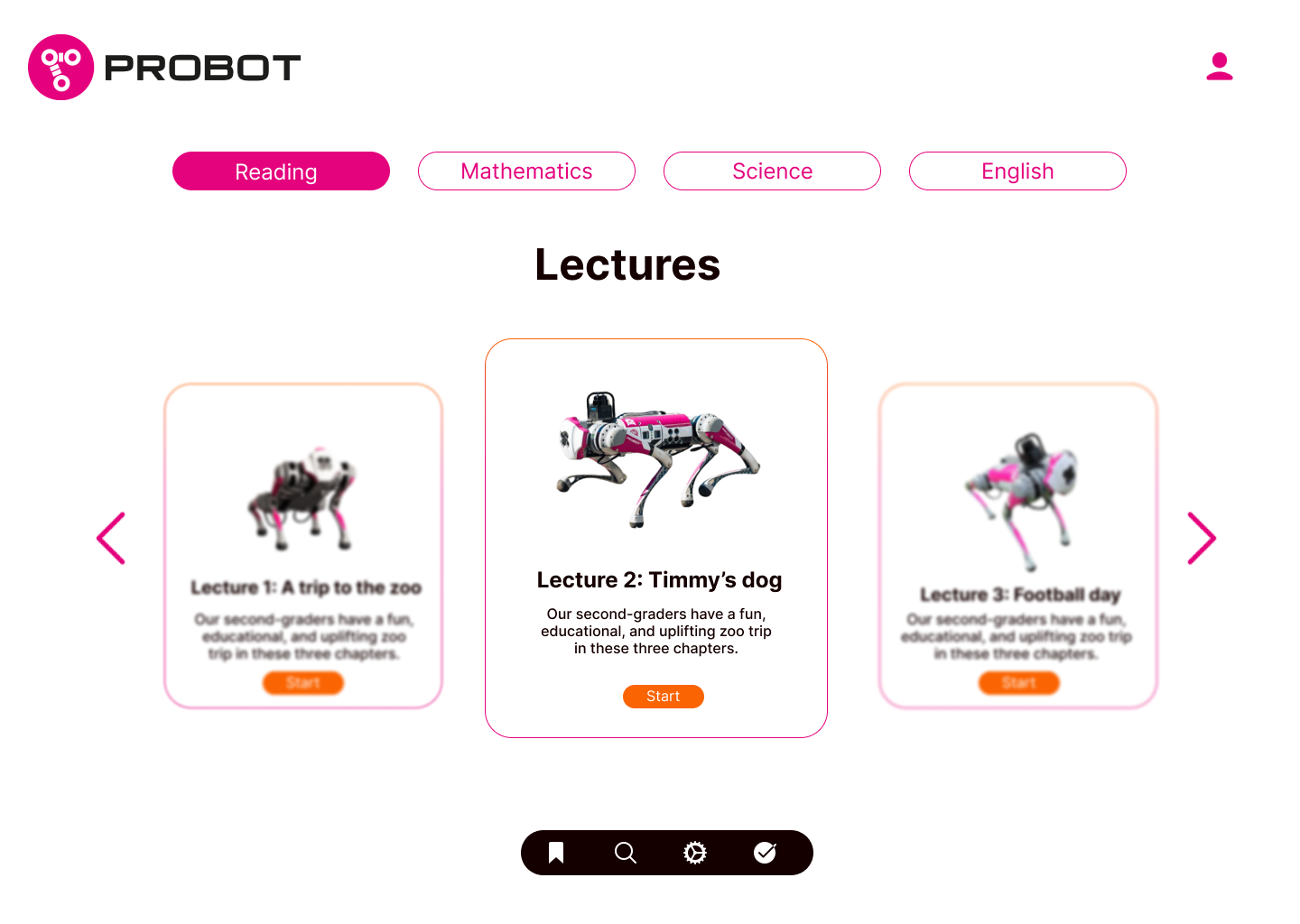
probot.app/lectures
The lecture library: subject tabs across the top, a focused carousel of lessons, and a persistent toolbar for search, settings, and progress.
What the app had to do
Quick, low-friction lesson starts
Bluetooth and Wi-Fi pairing handled before class, not during it
Settings so lessons fit the actual curriculum
Control configuration for movement and behaviour
Speech recognition for hands-free classroom use
Autonomous features so the robot doesn't need constant input
A single, obvious Stop while a session is live
Feedback and reporting after each session
Accessibility was not an afterthought
01
Readability. Strong contrast between text and background colours so the interface stays legible at a glance.
02
Text to speech. Reads web pages, documents, and other content aloud for students who struggle to read it themselves.
03
Voice command and control. Lets users navigate and complete tasks hands-free, important in a room already full of hands.
Service Blueprint
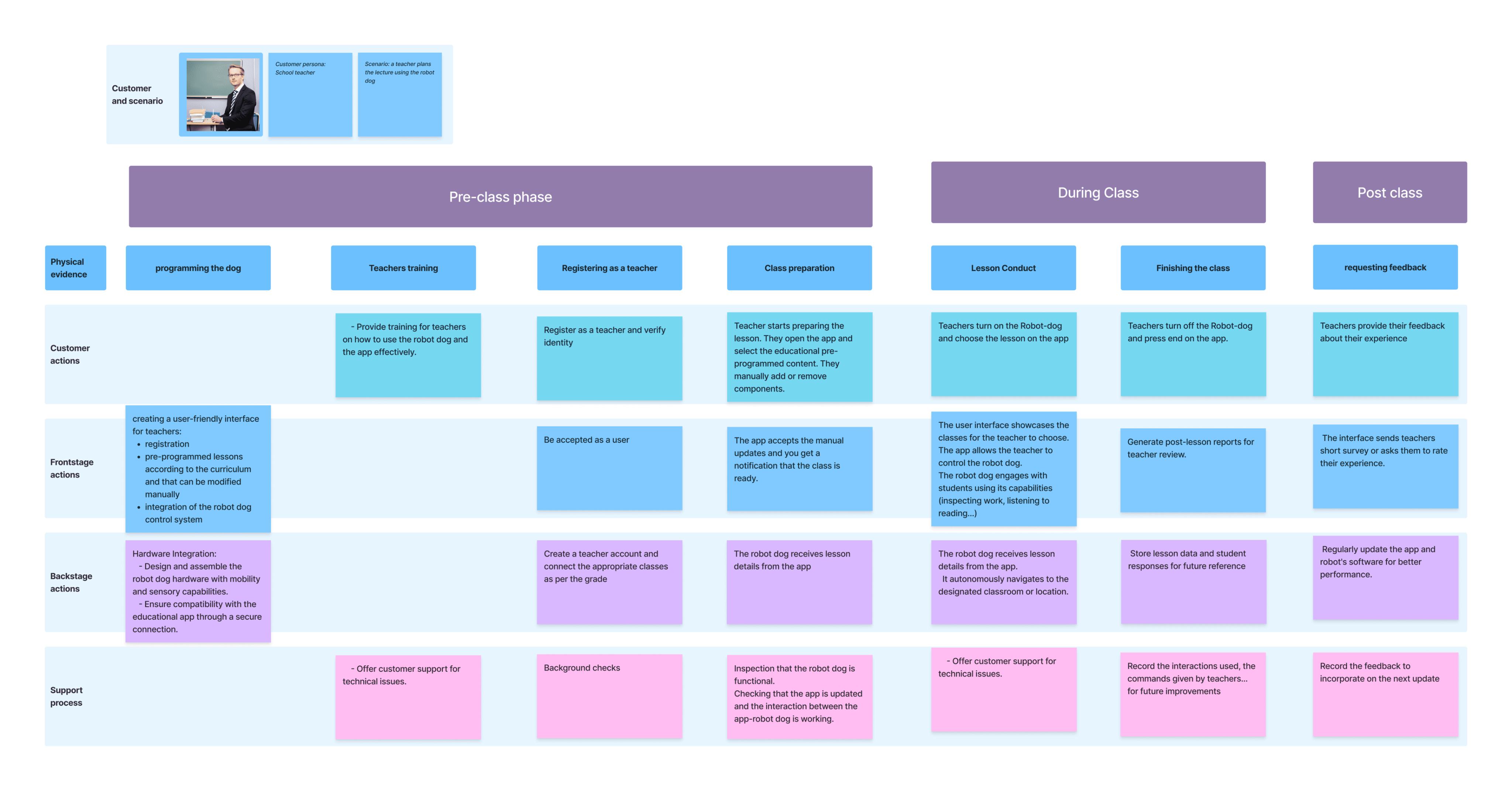
The robot is only ever ten percent of the service.
The blueprint traces every phase, from a teacher registering as a user, through programming the dog before class, to requesting feedback once the lesson ends. It separates what the customer experiences from what has to happen backstage to make that experience hold up, hardware integration, support processes, and the quiet maintenance that keeps the whole thing running.
Reflection
The robot dog was never the point.
"What we were really designing was permission. Permission for a teacher to trust the robot enough to hand it ten minutes of class, and get that time back somewhere else."
Our three starting fears (frightened children, an unsafe robot, resistant teachers) turned out to be the wrong worries entirely. The real design problem was workload, and a robot dog only earns a place in a classroom if it visibly gives a teacher something back.
Where this goes next
Customisable lessons that teachers can adapt to their own standards, not a fixed curriculum handed down to them
Ongoing usability testing as more classrooms adopt the concept, since one workshop is a start, not a conclusion
Performance monitoring and analytics to track real classroom KPIs over a full term, not just a twenty-minute session
Careful budget and resourcing plans so the rollout doesn't become its own source of teacher workload